Workflow Studio
We build the tools your studio needs


Image, video and 3D generation, handed to your artists as tools they can actually use: a few fields to fill in, and the frame comes back.
A module of the GT platform, by Gear Productions.
Every frame generated on your own machines
An open stack, self-hosted end to end. No external API, no third-party service, no plate leaving your network confidentiality is a property of the install, not a clause in a contract.

The same workflows, reached three ways: fill in a form, just ask, or build your own chain. Take whichever suits the shot.
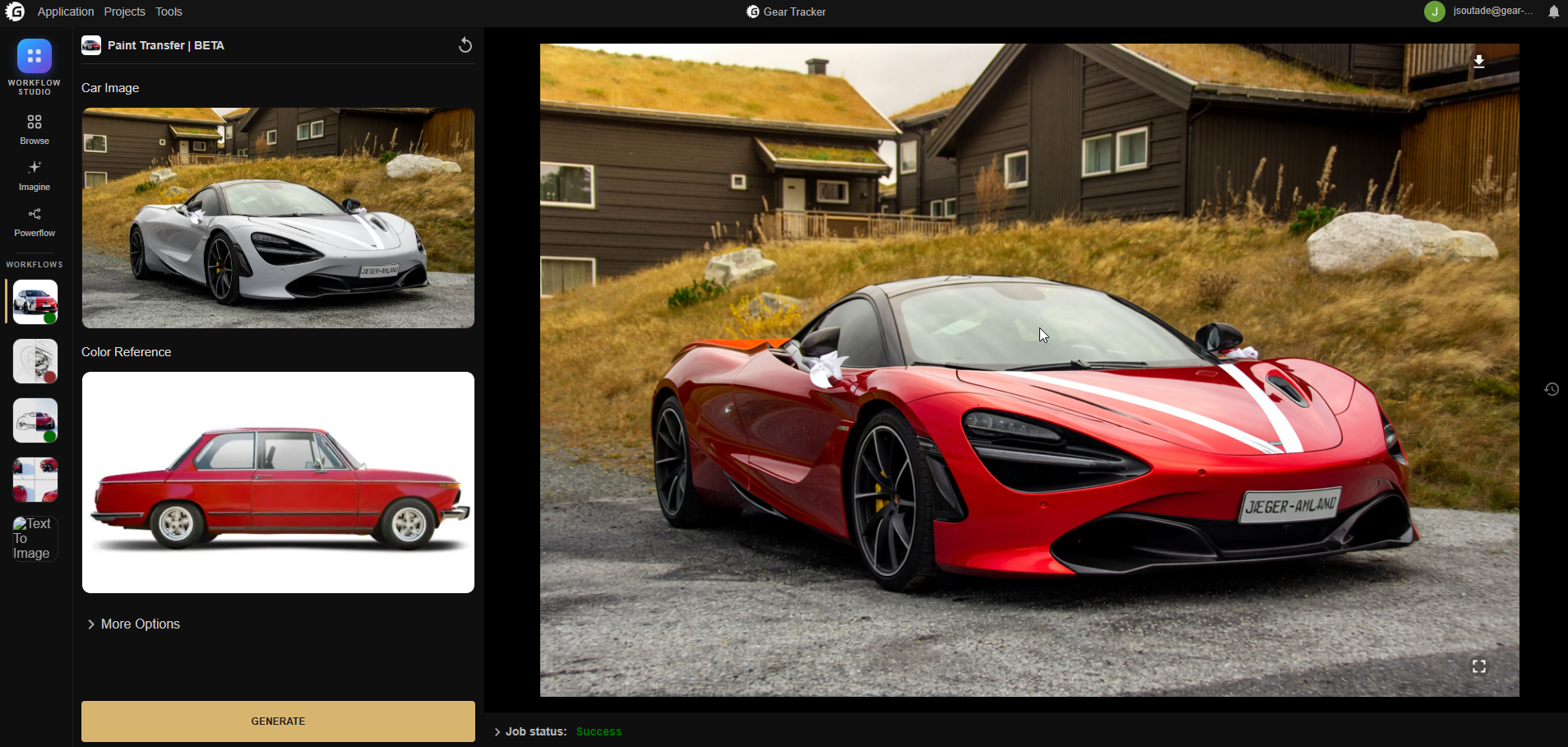
Every workflow opens as a plain form: the settings that matter, laid out clearly, and nothing else.
Drop in your image, adjust what you want, press generate. Nothing leaves your building: your shots stay on your own machines, start to finish.
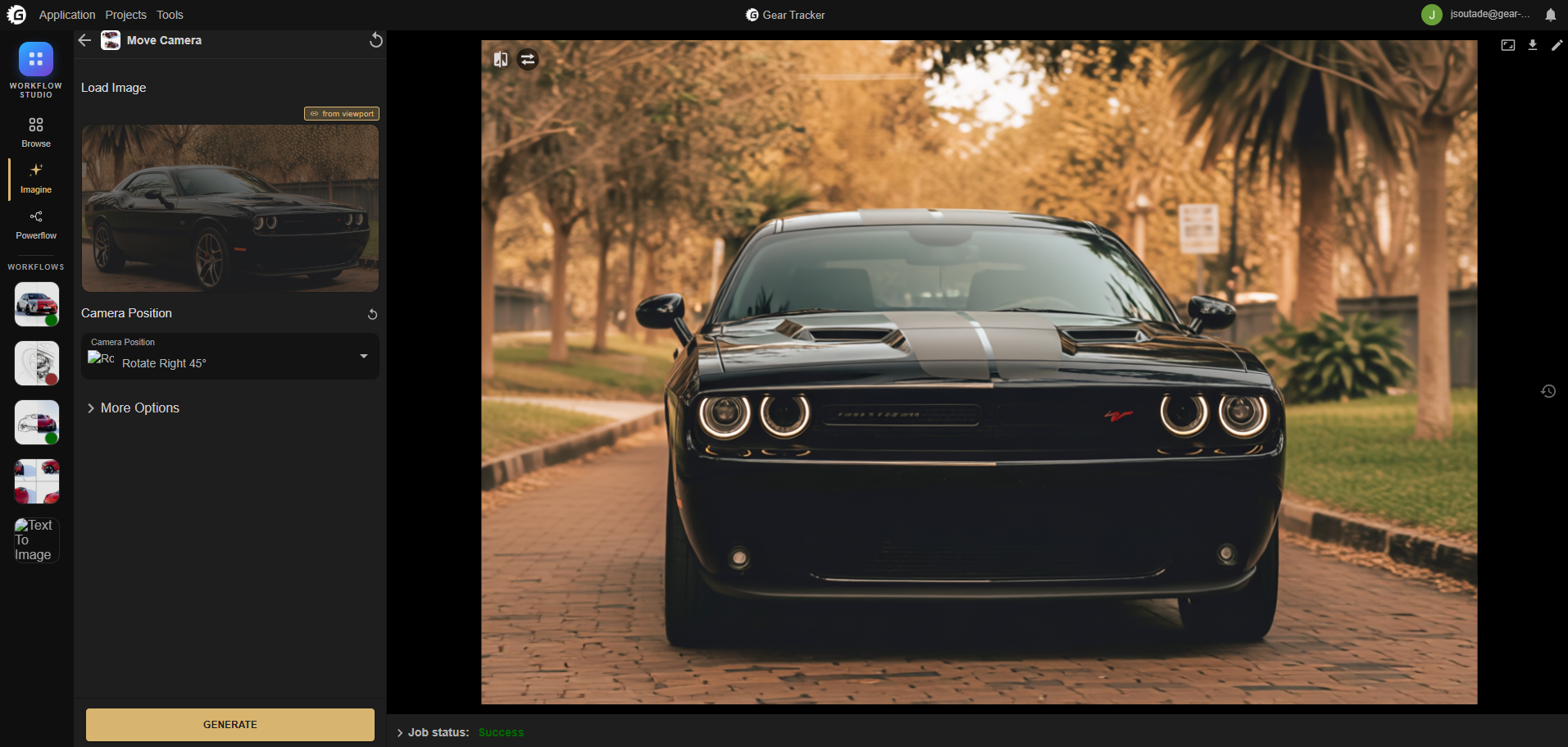
Load an image, a video or a 3D model, then describe what you are after in your own words.
Imagine finds the right workflow for the job, sets it up for you, and shows the result as it arrives.
Nothing runs until you say so, and every suggestion is yours to accept, adjust or ignore.
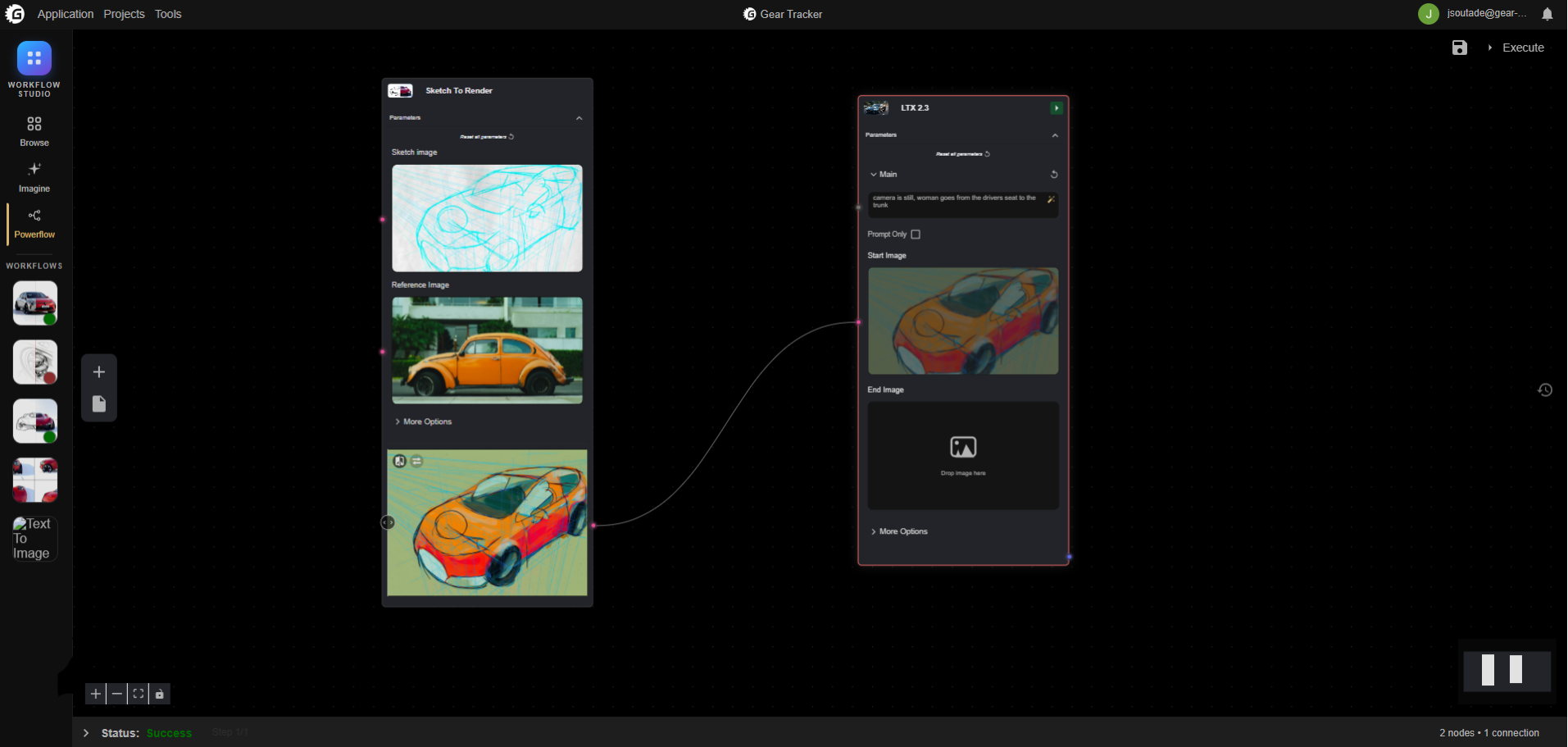
Lay the workflows you already use out on one board and join them up: what one produces, the next picks up.
Build the sequence the way you work, save it, and from then on the whole thing runs on a single click.
Long runs, heavy binaries and closed networks are the normal case here, not the edge case.
Crop, adjust brightness, saturation and contrast, draw or retouch masks: five independent tools sharing one work plane, without leaving the workflow.
Images appear step by step instead of only at the end. 3D models rotate, pan and zoom in place; video and stills get a proper viewer.
Jobs queue on BullMQ with state in Redis, a 30 s heartbeat, per-workflow timeouts, exponential backoff and SSE streaming. Load spreads across every configured compute server.
Inputs, generations and workflow edits are all kept, timestamped, diffed field by field, and restorable to an earlier version. Client cache means browsing it costs nothing.
Our custom ComfyUI package can run on both Windows or inside a container (Podman, Docker, ...). Our custom nodes are embedded directly inside the package and we provide the models so you can run fully offline, without any external dependency on non-European cloud services.
A guided two-step LoRA trainer: build the image set with a trigger word and auto-generated captions, pick a base model and launch. Training distributes across remote servers and resumes after a failure.
Long treatments carry on server-side. Close the window, come back later, the result is waiting.
A standalone backend service with its own GraphQL API, talking to the rest of the platform over Redis Pub/Sub. It holds no direct database access of its own.
No GPU runtime in the service itself. Execution is delegated to remote ComfyUI containers over the API, so the backend deploys on any machine.
Independent engines you switch on or off per deployment: ComfyUI for generation, Deadline for rendering, Captions for automatic subtitles.
Deployed on your infrastructure, in a closed network if that is what the project requires.
Currently used by